- Objective-C 74.5%
- Rich Text Format 14.9%
- C 10.4%
|
|
||
|---|---|---|
| Classes | ||
| Ressources | ||
| smc-command | ||
| smcFanControl.xcodeproj | ||
| Sparkle.framework | ||
| .gitignore | ||
| Info.plist | ||
| LICENSE | ||
| main.m | ||
| Readme.md | ||

smcFanControl
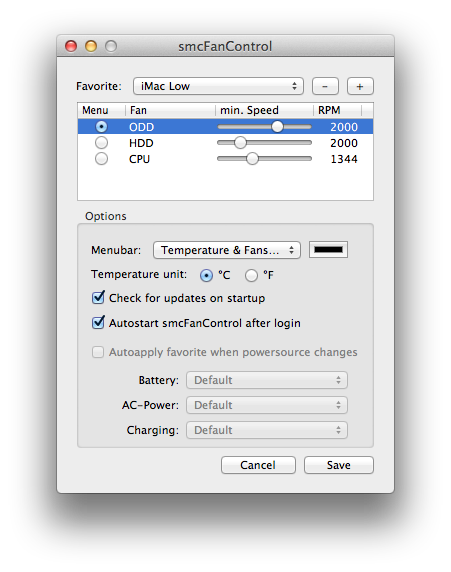
smcFanControl lets the user set a minimum speed for built-in fans. It allows you to increase your minimum fan speed to make your Intel Mac run cooler. In order to not damage your machine, smcFanControl does not let you set a minimum speed to a value below Apple's defaults.
Installing it using Homebrew & Cask
Make sure you have both Homebrew and Cask installed. You'll find intructions to install both tools on their respective websites.
After installing Homebrew and Cask, run:
$ brew install --cask smcfancontrol
After that you'll be able to use Spotlight to launch smcFanControl normally. :-)
Requirements: Apple Silicon or Intel Mac / OS X 10.7 or higher
Compiled version: https://www.eidac.de/smcfancontrol/smcfancontrol_2_6.zip
FAQ / More info: Found in project under "Ressources/*.lproj/F.A.Q.rtf" or included in above .zip
License: GPL 2